It's 5 pm and a client calls. Their visa appointment is tomorrow morning, and the checklist says they need a day-by-day travel itinerary with their hotel details. They need it tonight.
Not long ago, that meant an evening of copying hotel names from one site and tours from another, then formatting it all into a Word document. Today, Unicorn DMC agents can do it in a few minutes.
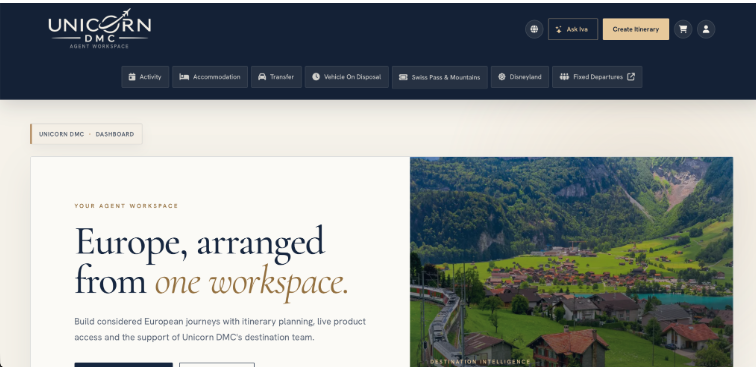
The AI itinerary maker in the Unicorn DMC agent workspace (the Create Itinerary button at the top of every page) turns a destination and a set of dates into a complete, day-by-day itinerary. It covers hotels, transfers and activities in one place. And because it is built from live products, the itinerary isn't just a document. It's bookable.
Here is how easy it is.
Three details are all it takes to start
Click Create Itinerary and you are asked for just three things:
- Where: type two letters and pick the city from the suggestions.
- When: choose the travel dates on the calendar.
- Who: set the number of travellers.
Travelling to more than one city? Click Save & Add Another City and repeat. Each city keeps its own dates, and a summary on the right shows the whole trip at a glance. Then click View Itinerary.
That's the setup done, in less time than it takes to write the client's email.
The itinerary builds itself around the trip
The next screen gives you the trip already laid out. Each city has its Accommodations, Transfers and Activities, with a tab for every day of the stay. You aren't starting from a blank page; you are filling in a ready-made plan.
Add the hotel. Pick from hotels for that city and those dates. Filter by star rating and type, then choose the room and meal plan. The cancellation terms and any local taxes are shown before you add it.
Add the arrival transfer. The airport-to-hotel transfer is already prompted. Choose the airport or station, add the flight number and luggage, and it's in.
Fill the days. Click any day to add tours, tickets and experiences for that city. Specialist tabs for Disneyland and Swiss Pass & Mountains sit right alongside, so a family's park day or a Switzerland rail pass goes into the same plan.
As you add each piece, the Total updates with taxes and fees included. There is no spreadsheet to keep in step.
Download it, send it, done
When the trip looks right, download it as a PDF or DOCX with one click. The PDF is ready to send as it is. The DOCX lets you add your agency's branding or a personal note first.
You can also Save as Quote to keep the itinerary in your workspace for when the client comes back.
Why this matters for visa itineraries
Visa itineraries are some of the most urgent requests agents get. Schengen consulates commonly ask applicants for travel plans and proof of accommodation, and the appointment date rarely leaves much time.
An itinerary from Unicorn DMC's AI itinerary maker gives your client exactly what a visa file usually needs:
- every city with clear dates in a logical order
- named hotels with their addresses and the stay dates
- arrival transfers that match the flight details
- a day-by-day plan of what they will do
- a clean PDF they can print or upload
And because the itinerary is built from bookable products, the plan you hand over for the visa can become the trip you actually book. Once the visa comes through, the itinerary is ready to confirm, with nothing to rebuild.
A note for your clients: visa requirements differ by country and consulate, and some ask for confirmed hotel bookings rather than an itinerary. Always check the consulate's current checklist and match the documents to it.
Easy for agents, bookable for clients
The real change is not just speed. An itinerary made the old way was a document you then had to turn into bookings. With Unicorn DMC, the itinerary you create is already made of the hotel rooms, transfers and experiences you can book. Making the itinerary and making the booking are now the same job.
A few quick checks before you send:
- Pacing: keep the arrival day light.
- Meals: for vegetarian and Jain clients, check which hotels include breakfast.
- Terms: pass on each hotel's cancellation date and any local taxes.
- Price: rates are live, so recheck the total before confirming.
Create your next AI itinerary in minutes
The next time a client needs an itinerary by tonight, for a visa, a proposal or just to see the plan, try it in the workspace. Three details in, a bookable itinerary out.